 Ursara
Build the relationship
Keep borrowers, brokers, and their deal history in context. Bring a new opportunity into the pipeline with the information the reviewing team needs.
Explore lending CRMPeople → opportunities
From the first borrower conversation to the investor update, keep the people, documents, and loan activity behind your work connected.
A connected workspace brings loan activity, draw review, and AI assistance into the same picture. Take a closer look at this illustrative platform view.
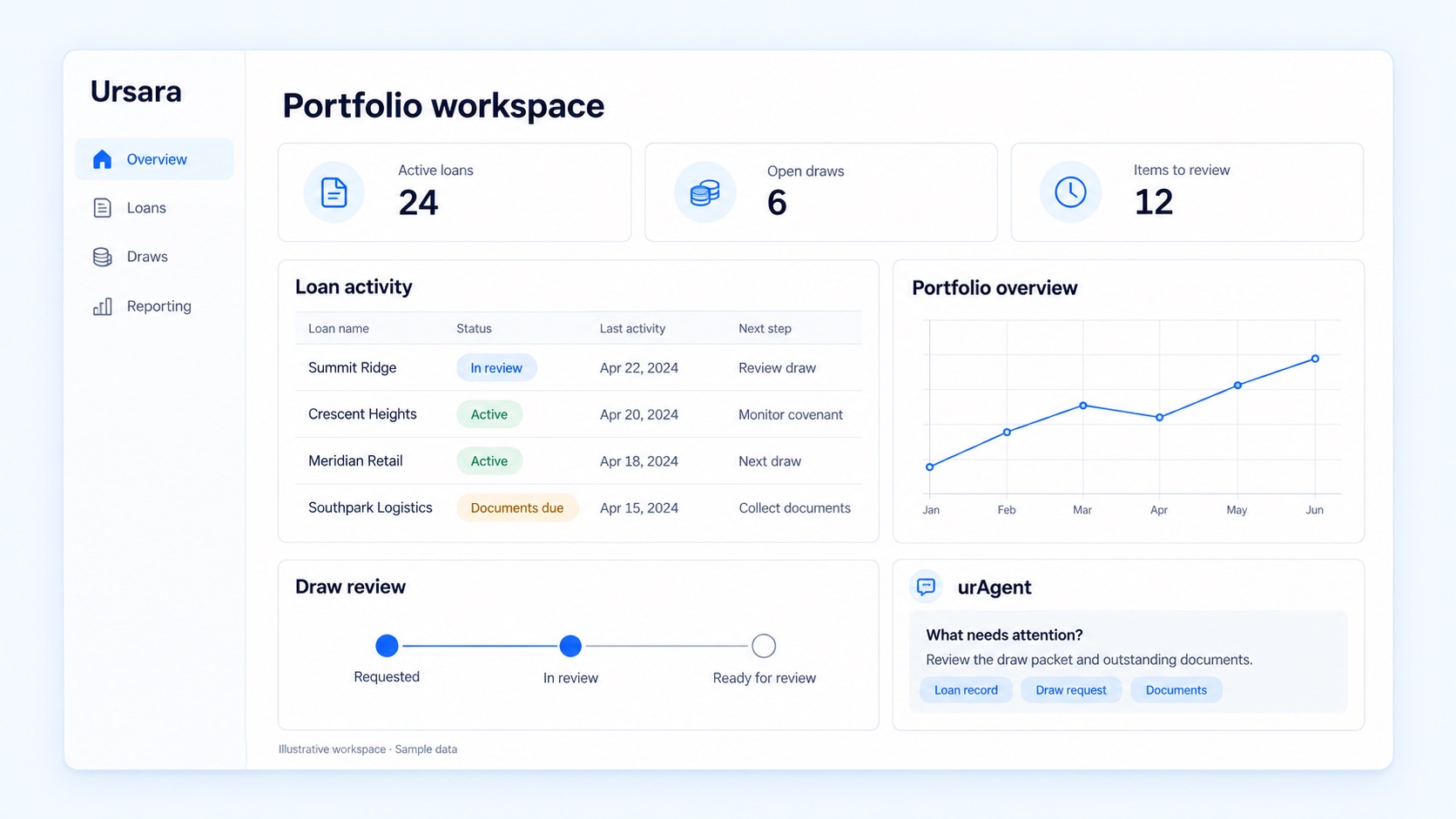
See the loan activity, portfolio view, and outstanding items together.
When information changes hands, context can get lost. Ursara connects relationship, origination, servicing, and reporting workflows so each team can understand the work that came before—and the next step ahead.
Keep borrowers, brokers, and their deal history in context. Bring a new opportunity into the pipeline with the information the reviewing team needs.
Explore lending CRMFollow intake, underwriting, and closing in a shared origination workspace. Make outstanding documents and next steps visible before handing the loan to servicing.
Explore originationConnect authorized ACH autopay, payment follow-ups and reviewed accounting exports to the loan. For construction, bring imported budgets, draw approvals and inspection reports into the same operation.
Explore servicingBring loan activity into portfolio analytics and investor reporting. Review the source information before preparing the updates your investors rely on.
Explore fund analyticsExplore individual products, then see how the handoffs fit together in a demo.
From the first deal to the final payment.
OriginationContacts, credit & native e-signServicingACH, follow-ups & accountingConstruction & drawsBudgets, inspections & releasesPortfolio intelligenceExposure, maturities & reportingA purpose-built experience for each relationship.
Lending CRMContacts, history & next stepsBorrower portalPayments, documents & requestsBroker workspaceLender networks & deal routingInvestor portalData rooms & statementsurAgent helps bring loan questions into focus with the context behind the answer. Explore a sample conversation about missing documents and draw status, then review the source information before deciding on the next step.
Explore urAgentStart with the loan you are working on. Understand where the information comes from. Keep your team responsible for decisions and approvals.
Read about AI data handlingStart with the workflows you need to improve. We can discuss the product areas, data dependencies, and rollout sequence that fit your team. The implementation scope should be agreed before work begins.
Yes. Ask for a walkthrough from relationship and intake through servicing and reporting. Include the people responsible for those handoffs so the demo can address practical questions across teams.
Bring your current systems, sample export formats, and required connections. We will review what needs to move, what needs to connect, and the validation required. Confirm the supported scope during implementation planning.
Practical reading for teams evaluating their lending software and planning a transition.